A workspace for Kick streams
Instead of scattered browser tabs and separate utilities, SATURX brings the main actions into one dashboard: chat, stream preview, accounts, message presets, and viewer boost controls.
A desktop tool for Kick streamers and moderators with chat, accounts, message presets, auto-send workflows, and viewer boost controls in a clean interface.
Less tab switching. More control. All in SATURX.
Live dashboard preview
Chat, stream preview, accounts and activity controls in one workspace.
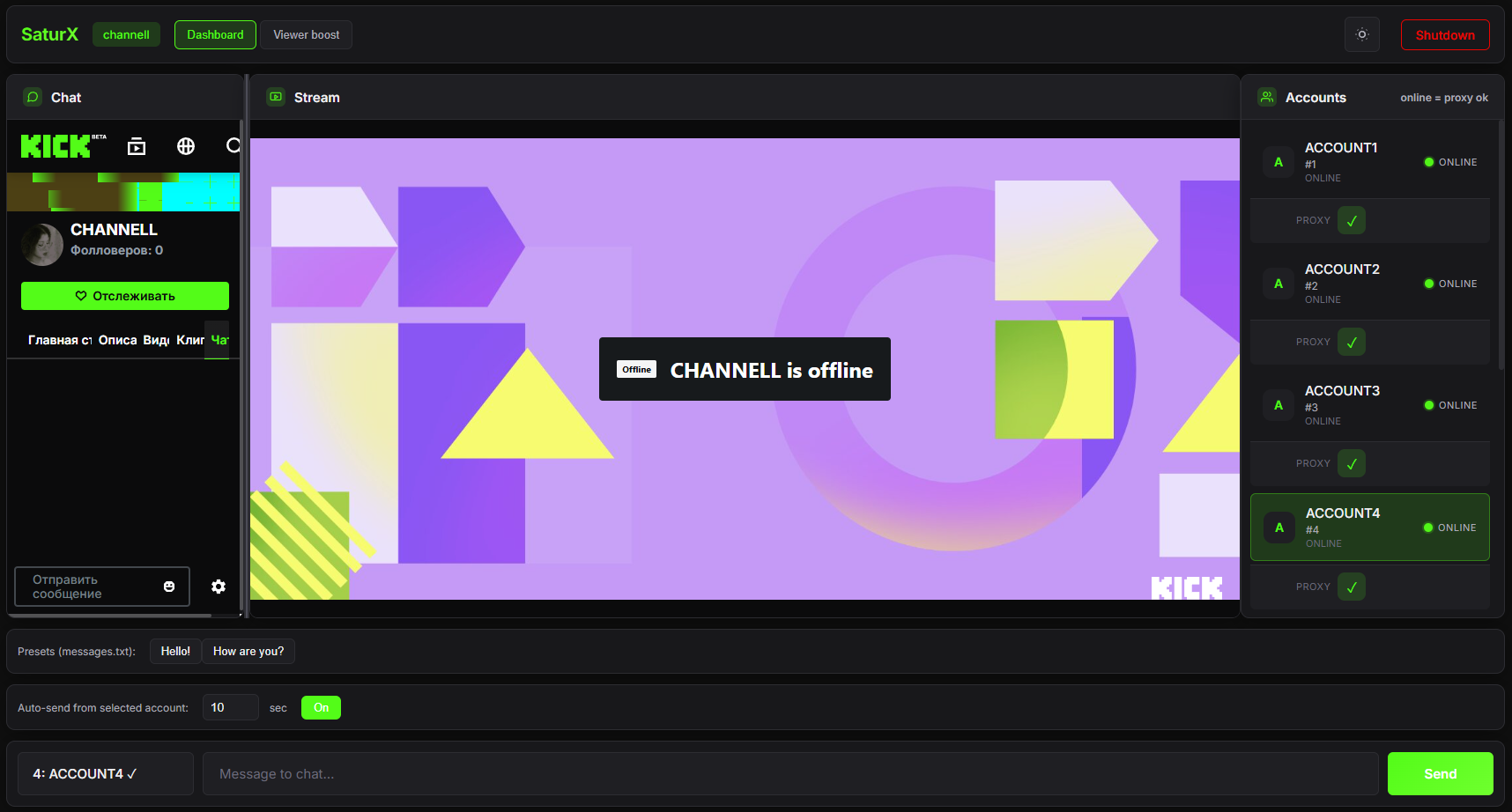
SATURX keeps your Kick workflow in one place: chat, stream preview, accounts, presets, and activity tools without extra tab chaos.
SATURX is desktop software for Kick that helps manage chat, accounts, and channel activity from one clean interface.
Instead of scattered browser tabs and separate utilities, SATURX brings the main actions into one dashboard: chat, stream preview, accounts, message presets, and viewer boost controls.
SATURX makes the workflow easier to scan: less manual routine, faster access to the actions that matter.
Chat, stream preview, accounts, and activity settings live in the same workspace.
Presets and auto-send workflows reduce repeated manual actions during a stream.
License access, support, and updates are explained directly without inflated claims.
The flow is simple: get access, set up your channel, and work from one desktop window.
Contact via Telegram, confirm the terms, and receive the app archive with a license key.
Enter the key, choose your channel, connect accounts, and prepare messages or proxy settings.
Run chat, stream preview, presets, auto-send workflows, and viewer controls from the dashboard.
The product is built around less operational noise and more control over the streaming workflow.
The copy, interface, and workflows are focused on Kick chat and streamer tasks.
A dark UI, compact panels, and clear hierarchy make the tool easier to scan.
Questions about access, renewal, and setup are handled through Telegram.
SATURX is positioned as a working desktop tool, so clarity and responsible use matter.
After purchase you receive a license key and launch instructions.
Ask about installation, renewal, access, and basic setup through Telegram.
The page explains the available workflow without guaranteeing impossible results.
Short answers to common questions before getting access.
No. This landing page presents desktop software for Kick with license-based access.
SATURX is positioned as a Windows desktop tool. Confirm exact requirements before purchase.
The main support and access channel is Telegram.
No exact price exists in the project yet, so the site does not publish price schema or fixed pricing claims.
For now, language switches in the browser. The next SEO step is separate /ru and /en URLs.
SATURX focuses on practical actions: chat, presets, auto-send, accounts, and a dedicated viewer boost controls tab.
Embedded Kick chat, prepared messages, and quick actions help you keep momentum during the stream.
A multi-account workflow and key-based access are handled inside one desktop application.
A dedicated panel for channel, target, and proxy settings without moving to another tool.
SATURX access is provided by license. Before purchase, you can confirm terms, compatibility, and delivery through Telegram.
For purchase, license renewal, or support, use Telegram.
Message on Telegram, confirm the details, and receive the app archive, instructions, and license key after payment.
Access, renewal, and basic setup questions are handled through Telegram.
SATURX describes available controls and workflow. Use the tool responsibly and follow platform rules.
Current version details, key renewal, and change notes are available through the support channel.